How to copy CSR values to M-CSR for players
Print
Modified on: Mon, 27 Apr, 2026 at 12:33 PM
Use the toolbar in the event player grid to bulk-copy current values into the Manual CSR column.
Steps
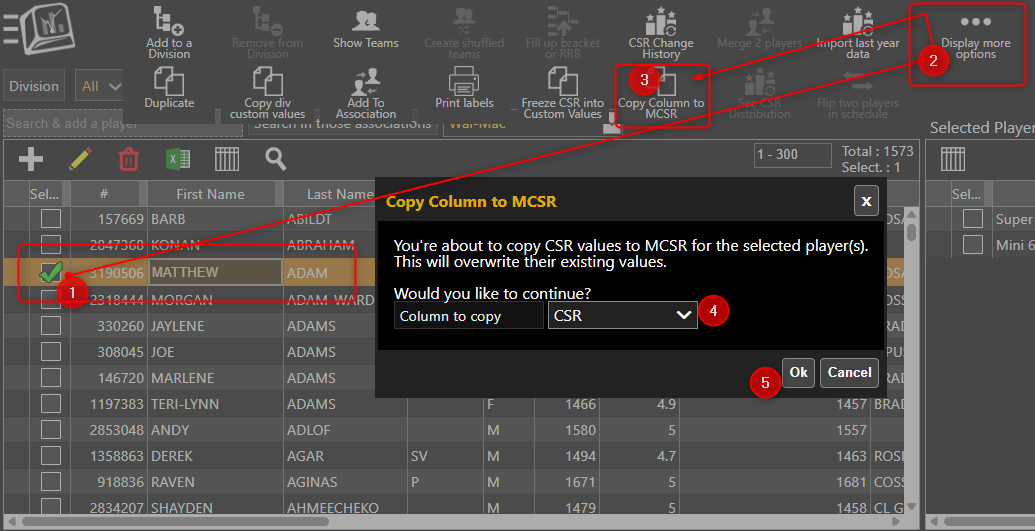
- Under Menu > Manage column > Players/Teams > Players
- Select the players you want to update.
- Click on Display More Options.
- Click "Copy to MCSR" in the toolbar.
- Choose the source column, such as CSR, F-CSR, or a custom value column.
- If selected players have an unestablished CSR, a warning is displayed so you can decide whether to continue.
- Click Confirm to overwrite existing M-CSR values for the selected players.
Related articles:
Did you find it helpful?
Yes
No
Send feedback Sorry we couldn't be helpful. Help us improve this article with your feedback.
