
The Linked in app checkbox under Players means an app account has claimed that player's profile for the event. A team scorekeeper entry also depends on the player's roster and scorekeeping setup.
What to check
- Scorekeeping is enabled. Go to Menu > Manage > Event > Event, select the event and click the pencil. Under Score Keeping, verify that Allow Players to register as score keepers is checked.
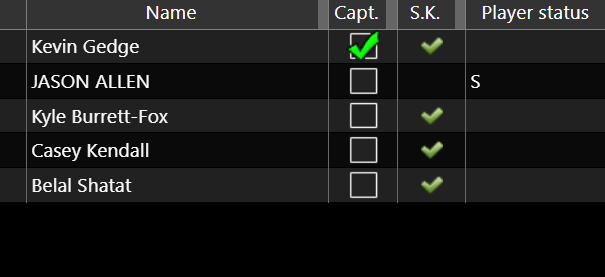
- The player's status on that roster. Players marked as spare/sub (S) are not automatically added as scorekeepers for that team unless they are marked as captain. This concerns the team roster status.
- The Score Keepers list. Go to Menu > Manage > Players/Teams > Score Keepers
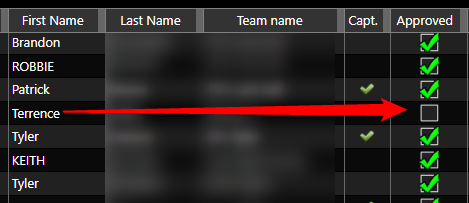
If the player appears but is not approved: verify that the user account, player and team match, then check Approved. A pending approval is different from a missing scorekeeper entry.
SPARE
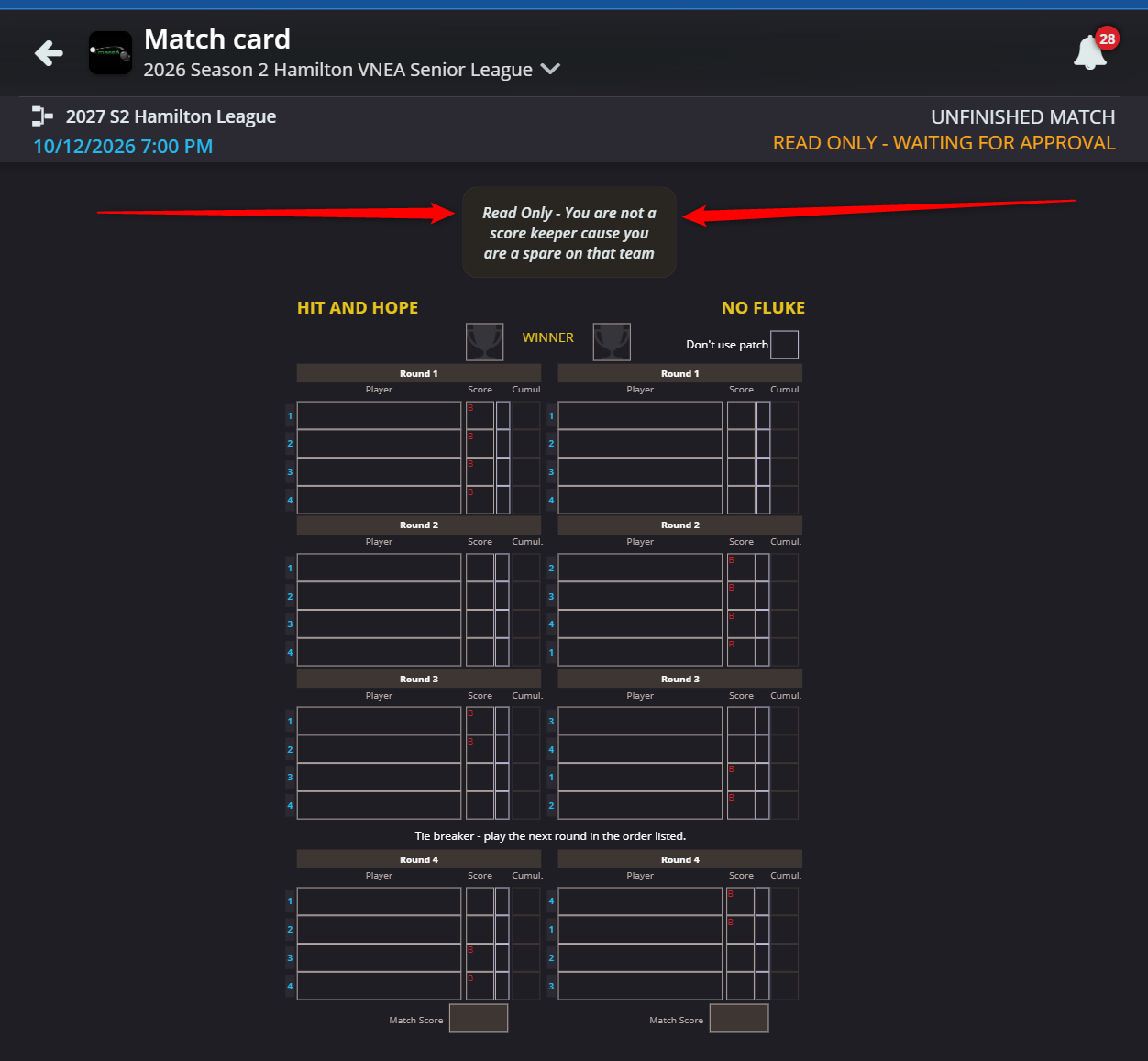
In this example, Jason Allen cannot scorekeep because he is a Spare.
He sees this on the scoresheet :
SCOREKEEPER APPROVAL
In this example Terrence cannot scorekeep as his scorekeeping account was not approved under Score Keepers.
Related tutorial: How to manage your scorekeeper approval requests.