
Custom Values for information sharing
You can use a Custom Value to keep track of money owed by each player and then add that information to the Player Stats page so players can see it.
Step 1 — Enter the amount owed (This could also be used for phone numbers or any information you want to make available to the players)
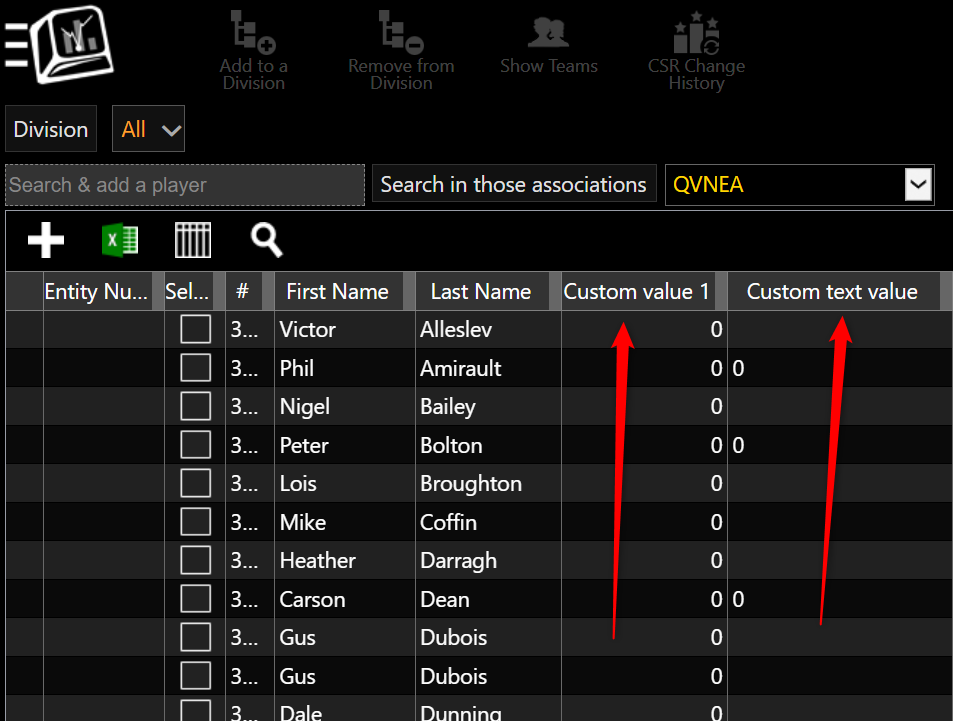
Go to: Menu > Manage > Players/Teams > Players
Choose one of the available Custom Value columns and enter the amount owed for each player.
For example:
| Player | Custom Value 1 |
|---|---|
| John Smith | 25.00 |
| Mary Jones | 10.00 |
| Robert Green | 0.00 |
Want to display the $ sign?
A Custom Value is best when you only need to enter a number.
If you would rather display the amount as $25.00, you can use a Custom Text Value instead.
For example:
| Player | Custom Text Value 1 |
|---|---|
| John Smith | $25.00 |
| Mary Jones | $10.00 |
| Robert Green | $0.00 |
Keep in mind that a Custom Text Value is treated as text rather than as a numeric value.
Step 2 — Add the Custom Value to the Player Stats
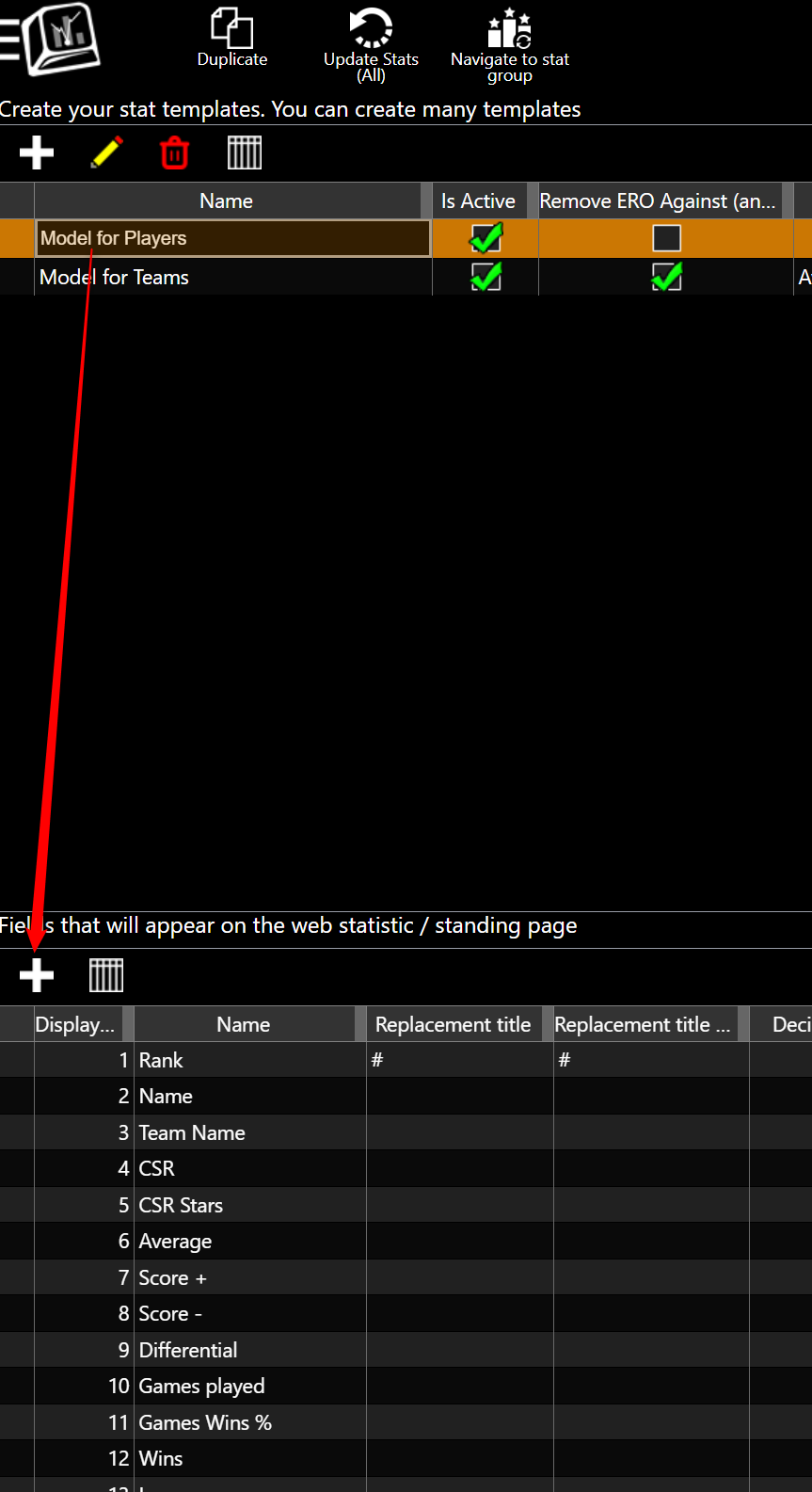
Go to: Menu > Manage > Statistics/Standings > Stats Model Editor
Select Model for Players.
Click the + at the bottom of the Stats Model Editor.
Find the Custom Value or Custom Text Value you used.
Select it.
Click OK.
Drag the new stat into the position where you want it to appear.
Save your changes.
Step 3 — Rename the stat
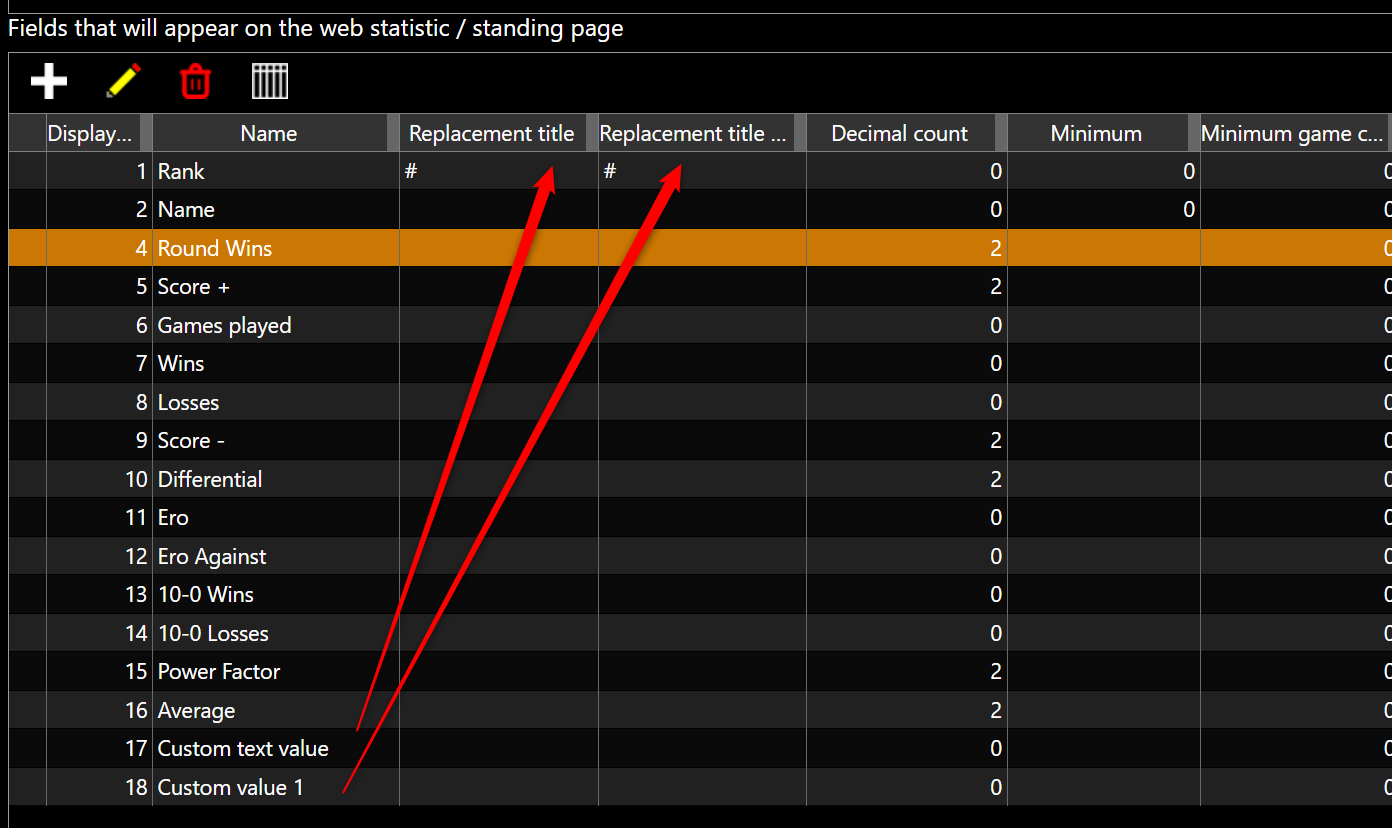
Instead of having players see a generic name such as:
Custom Value 1
you can rename the stat to something that makes more sense for your league.
For example:
Amount Owed
Balance Due
League Fees Owed
Remaining Balance
Weekly Fees Due
Phone Number
This makes it much easier for players to understand what the number represents when they look at the Stats page.
For example:
| Player | Wins | Games Played | Balance Due |
|---|---|---|---|
| John Smith | 12 | 20 | $25.00 |
| Mary Jones | 15 | 21 | $10.00 |
| Robert Green | 9 | 18 | $0.00 |
Important
Information added to the public Player Stats page can be viewed by anyone who has access to those standings.
If you are displaying amounts owed, make sure you are comfortable with those balances being visible to other players.