Minis are small brackets that managers runs at the same time or after the main brackets are over. Most of minis are 8 players, single elimination.
The minis module is a tool to manage minis. You can run minis without using the tool but the tool is very simplified.
The staff that are running mini doesn't need to go to the regular menu.
Minis cost 0,50$ per player per bracket.
You have to contact CompuSport to get this tool turned on. (info@compusport.us, allow 48 to 72 hours for CompuSport to get this turned on, don't wait to the last minute)
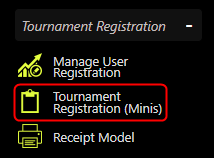
Once the tool is added, it can be found under Menu > Manage > Tournament Registration > Tournament Registration (Minis)
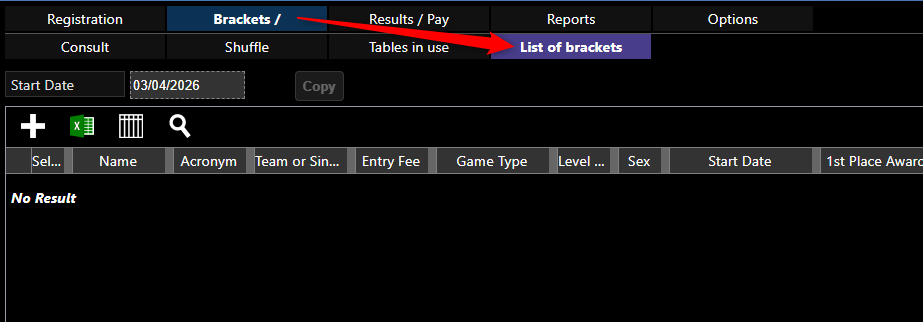
Create divisions, under Brackets > List of Brackets.
Click on the plus to add your division.
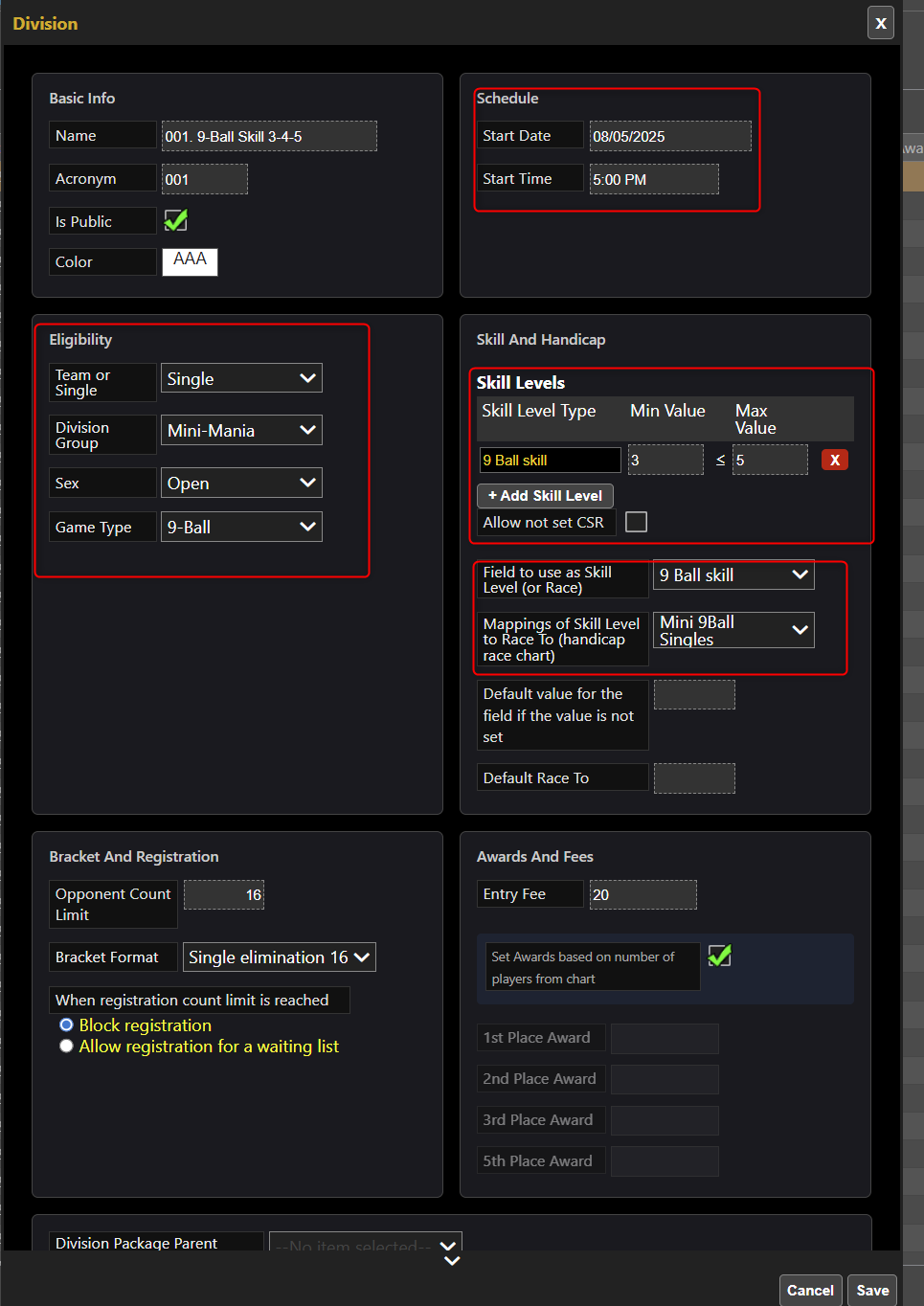
Set the Eligibility, team or singles. All minis should stay in the Mini Division Group.
You can also have double events. (you need two players per team)
You'll need to add all your minis divisions.
You can set your 8 ball or 9 ball skill level limits.
Set where to pick up the skill level (APA 8 ball and APA 9 ball) Or custom values where you inserted your skills you want to use.
Set the size and you can also set the fee and awards.
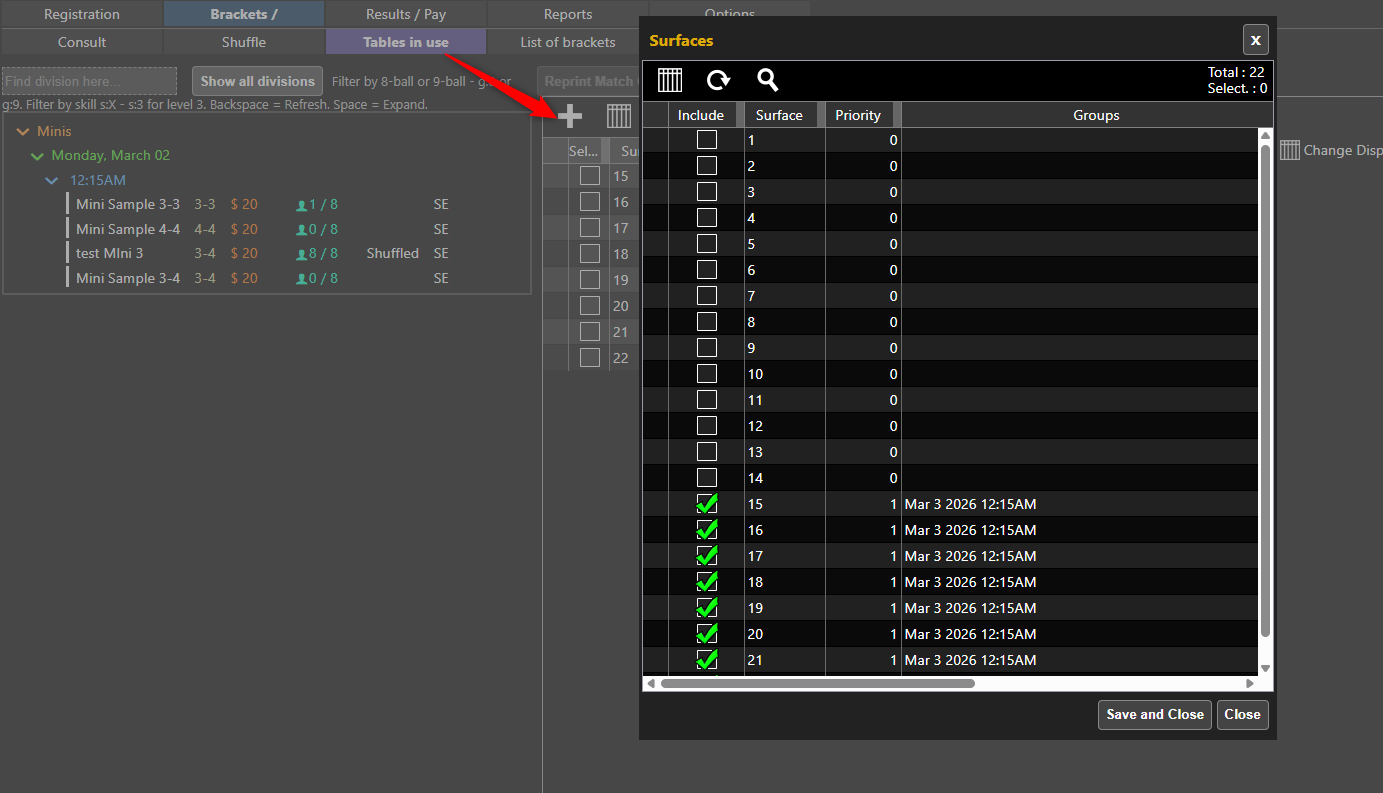
You need to select the tables you want to use for minis. All minis will use the same set of tables.
Tables have to be pre-created in the main tool to be available to select.
You can share with the main tournament.
To registrer players : Go to Registration > Player Registration,
When players come to register, you can type in their player name or you can have a simple bar code scanner to scan their APA card on CompuSport App (we have a bar code on the app for APA too).
Based on the players skill the brackets available for his skill level will appear.
You can then select the minis you want to register. APA are having player levels (3 to 7) and each minis have levels so if you scan a Level 4 player, only minis that are open for Level 4 will be available.
APA are using 80mm printer to print a voucher but it's not mandatory.
When the mini is full, it is ready to shuffle. the bracket will be shuffled automatically, added to a continuous play group with surfaces and tables are assigned automatically. Also made public automatically as soon as full.
If it's not full and you want to start it, you can shuffle it manually and the system will create a bye. Under Shuffle > Shuffle this group.
The score sheet 413 is used with wins.
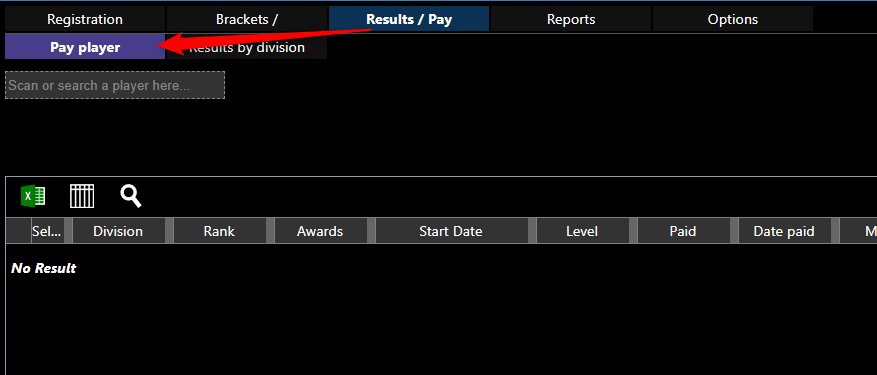
When the bracket is finished, You can go to Results/Pay > Pay Player.
And once the player is paid, you can mark as paid.