On the app, in your league, you can click on a match.
Click on Pay My Fees.
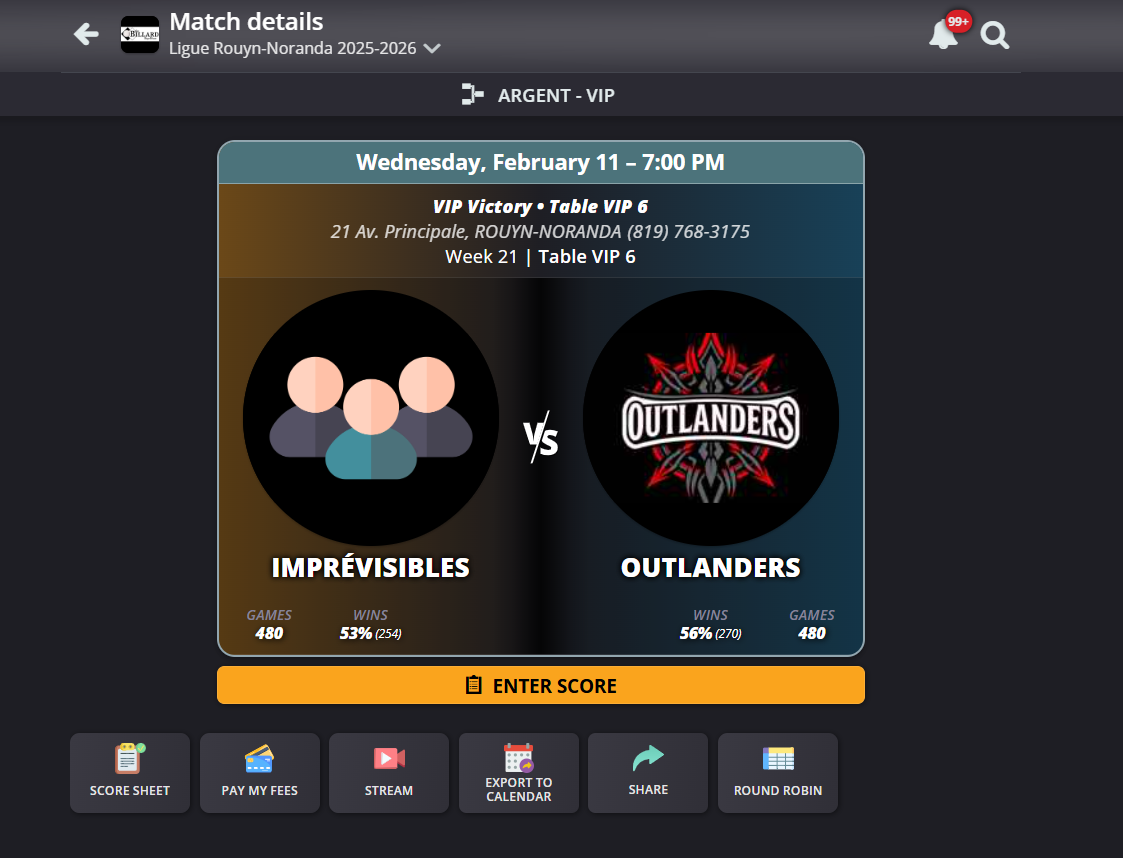
Select yourself or other teammates. Select the matches you are paying for.
Click Next.
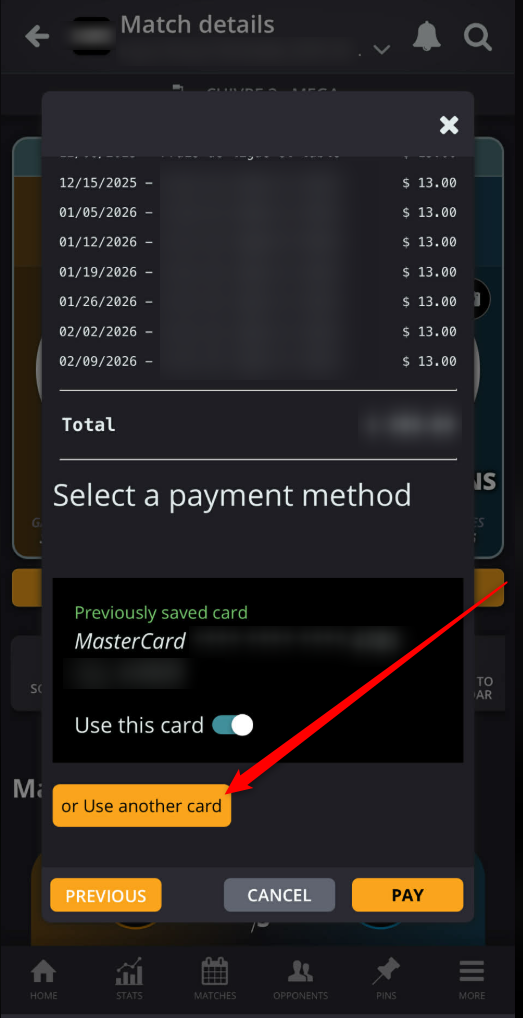
When you get to the Credit card area, you can change the card you want to use:

Modified on: Wed, 11 Feb, 2026 at 2:01 PM
On the app, in your league, you can click on a match.
Click on Pay My Fees.
Select yourself or other teammates. Select the matches you are paying for.
Click Next.
When you get to the Credit card area, you can change the card you want to use:
Did you find it helpful? Yes No
Send feedback