If you want to choose what order players or teams are listed on a report.
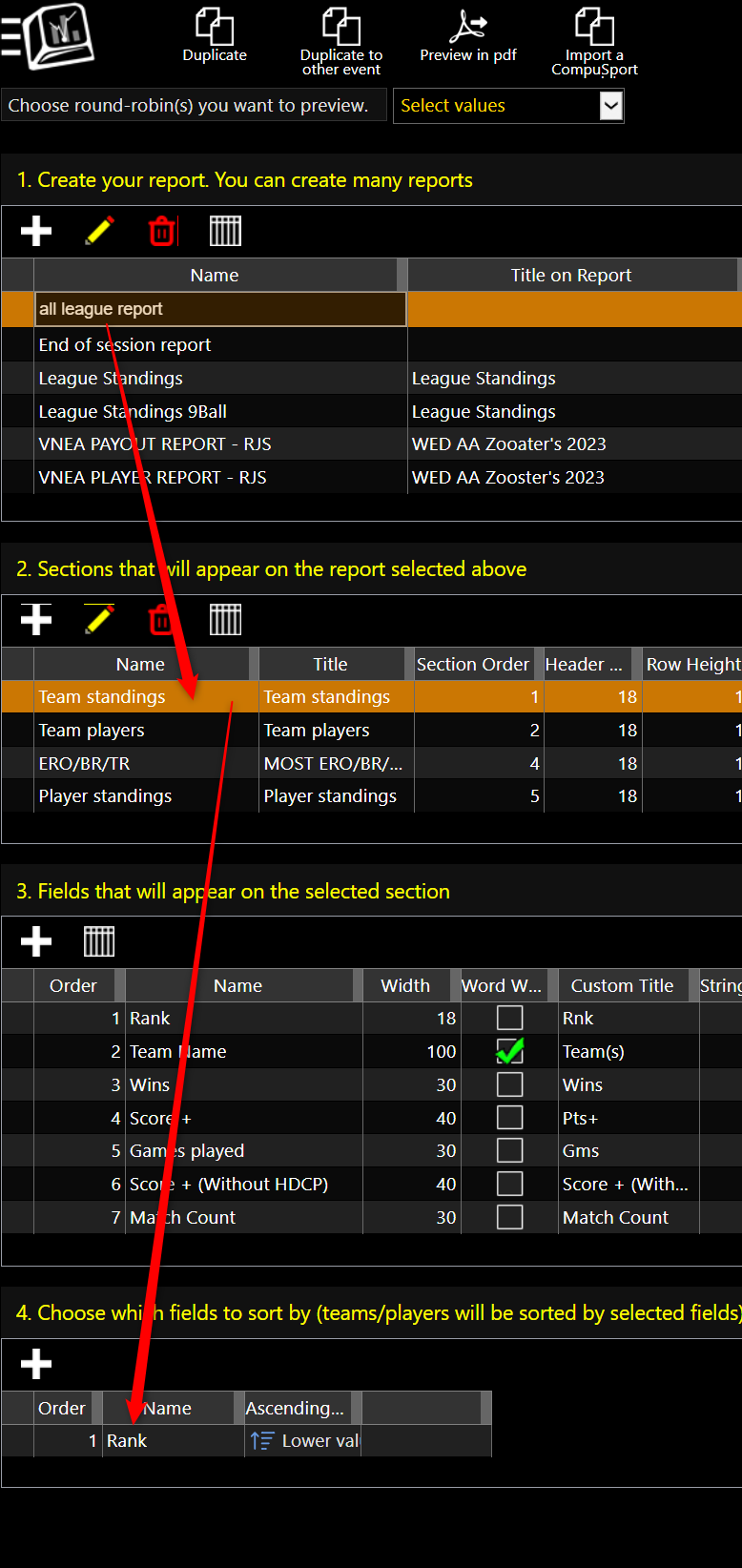
Go to : Menu > Manage > Reporting > Standing Report Editor.
Select your report. Select the section of the report : (Team Standings/Players Standings etc)
Go to Section 4 to decide what you want to sort by. (The order the teams or players appear in)
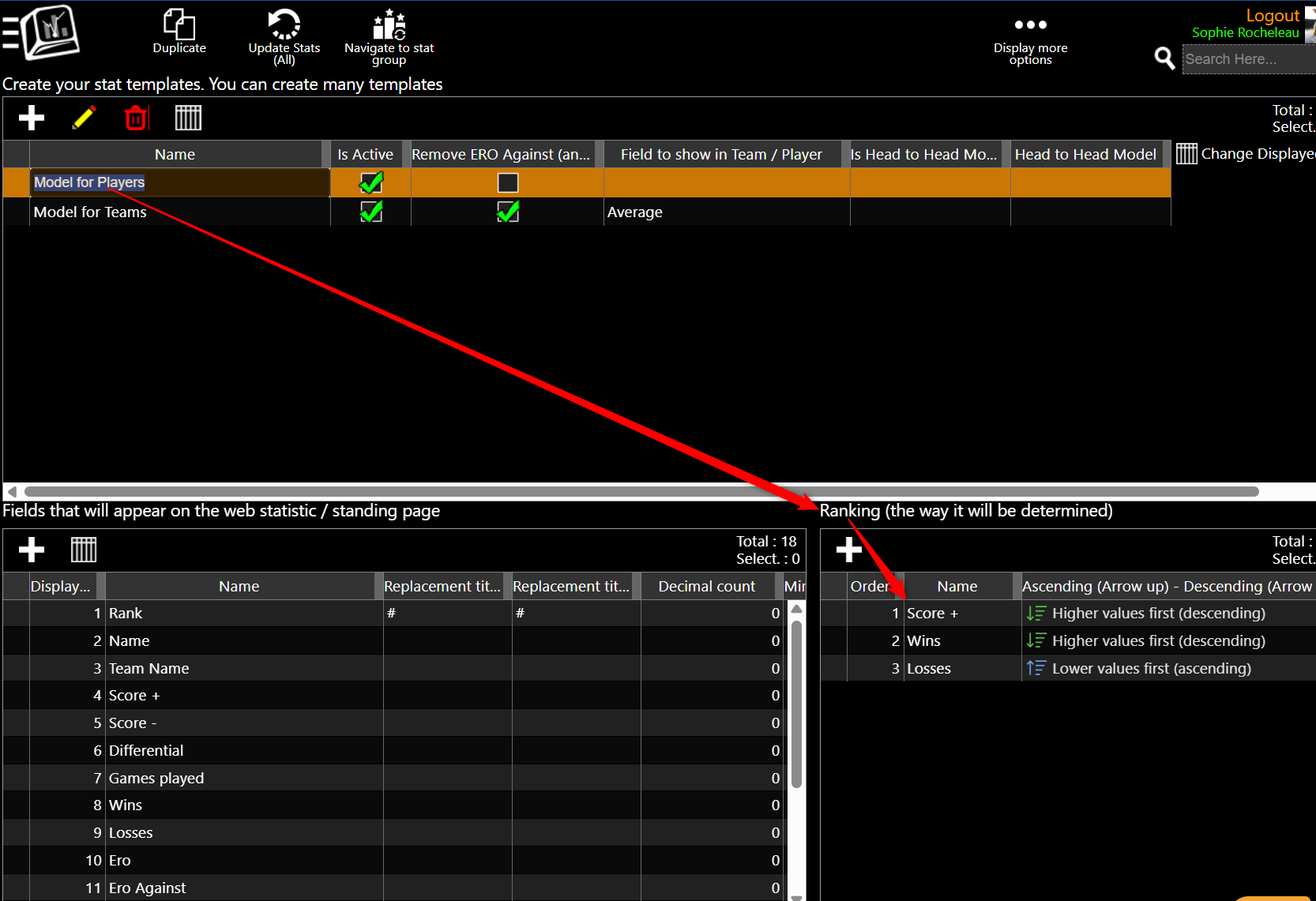
Rank is there by default which looks at what the ranking parameters are under:
Menu > Manage > Statistics/Standings > Stats Model Editor.
Select your Model for Teams and/or Model for Players, Choose what they are ranked by at the bottom right.
How to set the parameters for rank :
Menu > Manage > Statistics/Standings > Stats Model Editor.
Select your Model for Teams and/or Model for Players, Choose what they are ranked by at the bottom right.