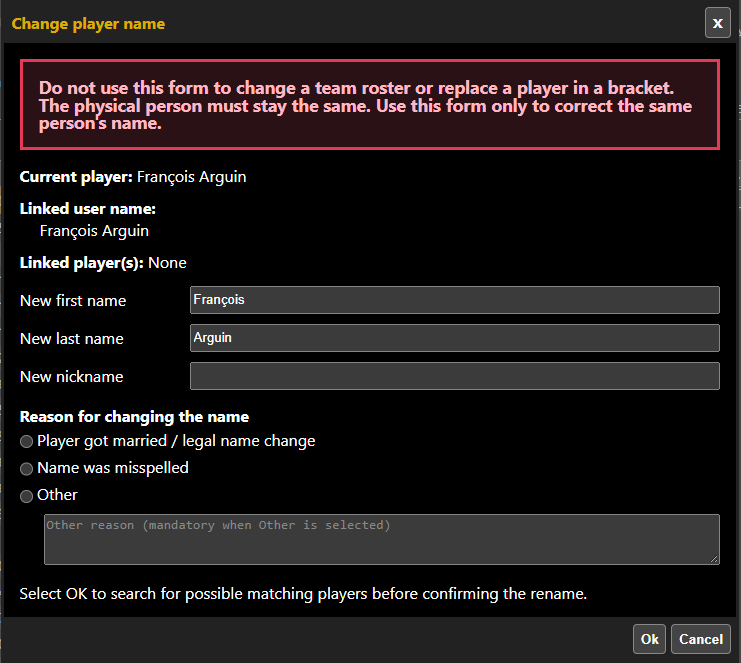
Good news! A league manager can now request a player name change without having to contact CompuSport directly.
***Please note: We do not accept requests from players themselves. If we receive player emails asking to change their name, we will ask them to contact their league coordinator or tournament director directly to get it done.
Reasons for name changes: Not spelled right or got married.
When changing a player name keep in mind that it is only to correct a misspell or married name. Not to change John Smith to Barbara Johnson instead of removing John from a team and adding Barbara for example. This really messes with player history and stats because John Smith is attached to a lot of history in the back end.
What can you do to make the proper changes?
1- Go to your event in the Portal.
2- Go under the Players section.
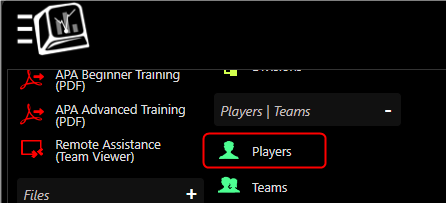
3- Click on display more.

4- Click on the name of the player that must be changed. The button Change player name will apprear.

5- Correct the information needed.