Go to Stats/Standing Grouping (Manage > Stats/Standing > Stats/Standing Grouping > Players)
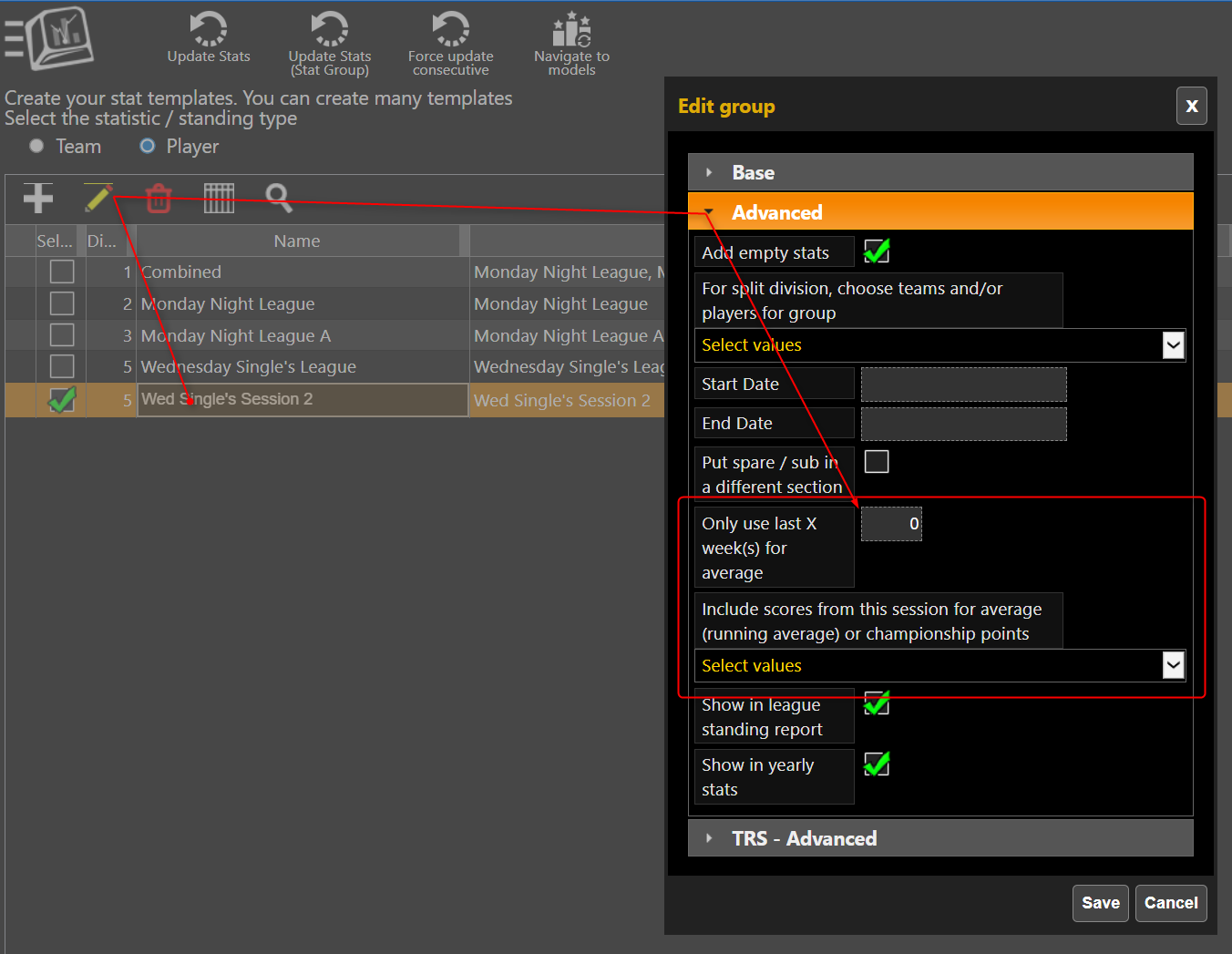
Select the league, Pencil, Advanced Section, Fill in how many weeks you want to use, and select the previous sessions you want to use.

Modified on: Thu, 12 Feb, 2026 at 4:17 PM
Go to Stats/Standing Grouping (Manage > Stats/Standing > Stats/Standing Grouping > Players)
Select the league, Pencil, Advanced Section, Fill in how many weeks you want to use, and select the previous sessions you want to use.
Did you find it helpful? Yes No
Send feedback